Posts

Youtube Video Presentation
Image
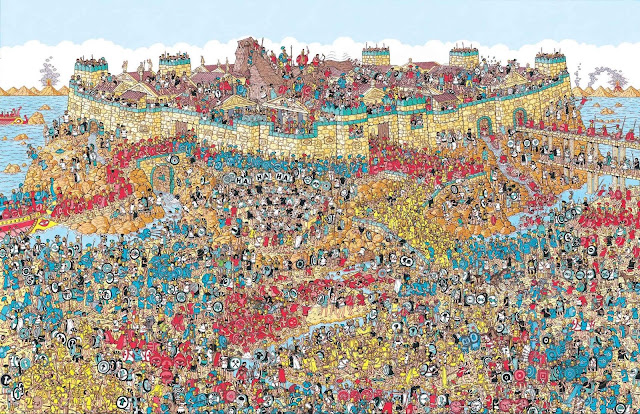
With so much content populating YouTube, someone finding your channel may seem about as difficult as finding Waldo in the world’s largest Where’s Waldo picture. We spent a full workday looking for him. Looking at hundreds of successful channels, we’ve noticed that the first break for most of them usually comes through a good spike in traffic from Search. So, in the very beginning, you should be making videos that rank in Search. To rank in Search successfully, it’s important to use your main keywords in three main area: The video’s title The video’s description The video’s tags This doesn’t mean spam your videos with keywords that don’t have any relation to your content as that could result in some very harsh penalties against your channel. Instead, put yourself in the mindset of the viewer searching for your content. What language would they use, what variety of questions would they ask, etc. How you utilize your keywords will have a major impact on the dis...

Upload consistently Youtube Videos

Image
Fanwise, there is no greater disappointment than discovering a great work of art and never knowing when (or even if) the creator will ever follow up with another. Don’t keep your fans waiting! Get in the habit of uploading regularly and help your audience make a habit of watching your videos on particular days of the week. If you choose to upload daily, make sure you upload around the same time. For a US audience, the best time for smaller channels to upload typically falls around 4pm PST on Wednesdays. But, make sure to pick an upload time that works best for you. That way, you won’t have trouble sticking with it. Pro-Tip: If you’re unsure what time works best for you, study what time sizeable creators in your same category are choosing to upload their videos. An extra motivator to keep uploading consistently is the fact that a single video can transform your channel.

Create Quality and ClickBait Thumbnail

Image
Thumbnails are the movie posters for your YouTube videos. Eye-catching thumbnails will be a big reason why visitors will choose your video over another. If you don’t believe us, here’s a test: which of these movies would you rather see? Arnold Schwarzenegger is the greatest actor of all time and I’m still picking right. Thumbnails are extremely crucial for your success on YouTube. They complement your video title and play an enormous role in how often your video is suggested in Related videos or in the Browse section. Good thumbnails accurately show what the video entails. When you design your thumbnails, keep in mind that the majority of YouTube’s traffic is on mobile. So, don’t include details that are only visible when squinting. Ah, using my detective goggle, I can see that this video is clearly about turtles I think. It’s best to use photos that have a resolution of 1280x720 as that is largest size YouTube allows. And, pay close attention to what part of the ...

Impress Your Viewer On your First Impression- YouTube Tip

Image
Gathering a loyal fanbase is similar to building any other relationship. So, it’s important that you make a good first impression when a user visits your channel. Convey to your audience that you are serious about building a brand and developing your presence on YouTube. You can do this with a polished, organized homeview of your channel. Nothing will turn away a potential fan faster than if your page looks less like an active channel and more like a digital ghost town. Convey to your audience that you are serious about building a brand and developing your presence on YouTube. To do so, utilize your channel’s banner, avatar, shelves and about section to their fullest potential: Create a banner that conveys the niche and intention of your channel along with your current upload schedule; doesn’t hurt to add a call-to-action like “Subscribe!” Choose an appropriate avatar that represents your content and your channel’s aesthetic. Organize your channel homepage with some ...

Create Great Videos

Image
Create videos people will want to watch. This may sound like a tip coming from Captain Obvious and not our team of YouTube experts. But you would be surprised by how often this goes unconsidered! Even if you are in a niche that might appear over saturated, there is always a way to put a different spin on tired topics. The best way to go about accomplishing this is by allowing your personality to shine. Each person has his or her own unique perspective, thoughts, and ideas that have been shaped by personal experience. You can use these to shape your identity as a creator. You should also consider the type of people who would be attracted to your content and what value your videos offer them. The more videos you upload that provide value to your target audience, the sooner you’ll develop your brand. Your audience, whether it's 10 people or 1,000 people, will tune into your videos expecting a consistent and authentic brand. These two elements are crucial to establis...

How to Grow Your YouTube Channel Youtube tricks

Image
So, knowing deep in your heart that you’re destined to be the next PewDiePie, you’ve started a YouTube channel. Excitement is in the air! We don’t want to be the party-pooper, but let us remind you: more than 300 hours of video are being uploaded to YouTube every minute and running a channel that sticks out from the crowd takes a lot of hard work. That’s why setting realistic goals is crucial to building your career as a content creator. Otherwise, you risk early frustration and rage-quitting on your channel before it even had the chance to blossom. Instead, set your target on first reaching 500 subscribers. Doing so will establish the foundation needed to begin growing a sustainable, loyal fan-base. Rest assured – although 500 subscribers may seem like small potatoes compared to PewDiePie’s millions and millions of rabid fans – it’s just one of the many milestones you’ll reach on your journey to become the next big YouTuber. As a community member of ScaleLab, our team ha...

How to Choose Your Blog Name

Image
Blogging is one of the Best approaches to Make Money Online.  Many of you contemplate Blogging however don't know how to get it started. Making a Blog is simple. So you have decided to start your own blog but you are confused about the name of your blog that how to choose it. A great blog title is must for any blog; Even a Blog with superb content can go down because of a poor title. There are numerous components that must be thought seriously about when selecting a Blog Title.There are many approaches for how to pick a blog name. Here are some best practices I distinguished: This article will help you Choose a Best Blog Name. Build Your Brand Your blog's name ought to help establish and reflect your site's brand. This methods it ought to set a certain tone for the site, which reflects the substance you want to convey, the type of blog you're composing and, hopefully, your personality. Consider it, the name is the first bit of substance a visitor sees on...

Why Choose Blogger for Website?

Image
Blogger is the main free and powerful substance administration stage yet despite getting the credit and acknowledge individuals dependably corrupt it for its drowsy and corroded conduct. Have you took a gander at blogger of late? 7 years back it had only 250,000 clients, however today it is the main stage which has more than 400 million clients. That is more than the whole populace of South America. Over the recent years, Blogger has advanced as an adaptable CMS stage. We have seen that numerous top businesses like Twitter is utilizing blogger stage to have their substance. It is not simply a standard a stage. It is a capable apparatus with strong peculiarities. We have gathered a couple of reasons that why you ought to utilize Blogger, What are its key peculiarities, And Why Blogger is superior to others. Why You Should Use Blogger? In my eyes the following reason to Chose the Blogger platform Blogger a Free-to-use Platform: Blogger is an open source stage, it differ...

What are the Blogger Limitations ?

Image
The vast majority of the individuals dependably want to pick blogger.com to give a solid begin to their blogging vocation. The truth of the matter is clear that first it is allowed to-utilize (no compelling reason to spend a solitary penny over obtaining space or facilitating) and second it is not difficult to utilize. The main value that you may pay for picking this FREE stage is that, it has heaps of restrictions. Tragically, Blogger.com has loads of limits which we will be examining in today's article (What are the restrictions of Blogger Account). Number of Blogs: You can make 100 separate blogs every account. Then again, in the limits that the breaking point gets surpassed then Google powers have the privilege to handicap your account as well as confine your right to gain entrance to your blogs. In this way, dependably remember that your blog list does not surpass the 100 imprint. Number of Posts: Luckily, there are no such breaking points for the quantity ...

Animated Flying Man Widget

Image
This is a amazing widget for blogger blog. The Blogger users use many type of different widget. Some users want to use effective and cool widgets. So, today I tell you amazing and cool widget Animated Flying android man widget for blogger How to add Animated Flying android man widget for blogger Step # 1: Go to your Blogger Dashboard > Layout > Add a Gedget Step # 2: Select the HTML/Javascript from the list Step # 3: copy the following code and paste in to the box <script type="text/javascript" src="http://makingdifferent.github.io/blogger-widgets/flying_android_man.js"\></script> <script type="text/javascript"> var twitterAccount = "username"; var tweetThisText = "tweettexts"; tripleflapInit(); </script><noscript><span style="font-size:11px;">Flying android man Widget By <a href="http://www.makingdifferent.com\">makingdifferent.com</a></...

Add A Different Background For Author Comments In Blogger's Threaded Comments

Image
In this tutorial we will learn how to highlight the author comments so that they will have a different background color, border, or anything that makes them stand out from the others. To achieve this, we need to add a code in the Blogger's template and to modify the style according to our preferences. blogger tricks, blogger comments   How to highlight author comments in Blogger: Step 1. Go to Template, click on Edit HTML blogger threaded comments, customize blogger comments Step 2. Click anywhere inside the code area and try to find - using CTRL + F keys - this tag: </body> Step 3. Just above it, paste the following code: <script src='http://code.jquery.com/jquery-latest.js'/> <script> $(function() { function highlight(){ $('.user.blog-author').closest('.comment-block') .css('border', '1px solid #FFA500') .css('background','#F1F1F2 url("http://www.blogblog.com/1kt/transparent/white8...

Automatically Resize Blogger Images To Fit Blog Post Area

Image
Blogger offers most of the tools you would need to add and resize Blogger images quick and easy. You can upload photos directly on the platform and even change the dimensions based on the type of content that you are attempting to produce. In order to do this, create a post and click on the small photo icon on the top toolbar next to the font style settings. A pop-up will show up on your screen asking you where you'd like to upload the image source. You have a choice between adding pictures from: Your local computer Previously uploaded images on the blog Picasa Web Albums An image URL upload blogger image Once you select the image that you want to use, you'll see four image sizes to choose from - small, medium, large, and x-large; it also gives you the option to determine the alignment. If you find that the four preset dimensions aren't providing the outcome you desire, there are easy ways to resize Blogger images to custom dimensions in order to fit your ...

Earn For Keeping your Computer IDLE BTC

Image
This is one of the most Famous and less Known method to earn Bitcoin Online, By this method people are earning more than 1 BTC every Month ( $ 3500) using bitcoin Mining, all The are doing is Selling their GPU Power and earning BTC instead InSTALLATION EARNING STEP BY STEP For Nicehash Cypto Mining - All you need to do is go to nicehash (click here) website  then Register After Registering which is an easy 5 Minutes process Download NICE HASH MINE.exe (3mb) choose your GPU - nvidea or Amd Then Start the Benchmark and change the wallent Address to Nicehash Wallet and then start Mining EASY YOU ARE NOW EARNING ALSO DO NOT FORGET TO CHANGE SERVER AS PER YOUR LOCATION TO EARN FASTER CLick the banner below Receive Payments Okay now you earned 1 BTC and you want to withdraw it from nicehash so You need to make another account where payments are recieved I have a Coinbase account Many people all go for Blockchain it all depends on you Coinbase and Blockchai...